
Before you start
A factor-of-1,000 difference between survey distances and a road register is a useful clue that metres and kilometres have been mixed. It is not proof. Confirm the source units, the selected field and the road's reference point before converting any value.
This procedure supports preparation of COTO TMH-18 data. The editorial reference is Committee Draft 5.0, February 2016; the receiving authority's adopted profile determines the delivery requirements.
Compare the same physical position
Choose a record with an identifiable location, such as a surveyed section endpoint. Compare its distance with the matching network position. Check the road, lane or direction where relevant and the measurement date. Comparing two different sections can produce a convincing but meaningless numerical pattern.
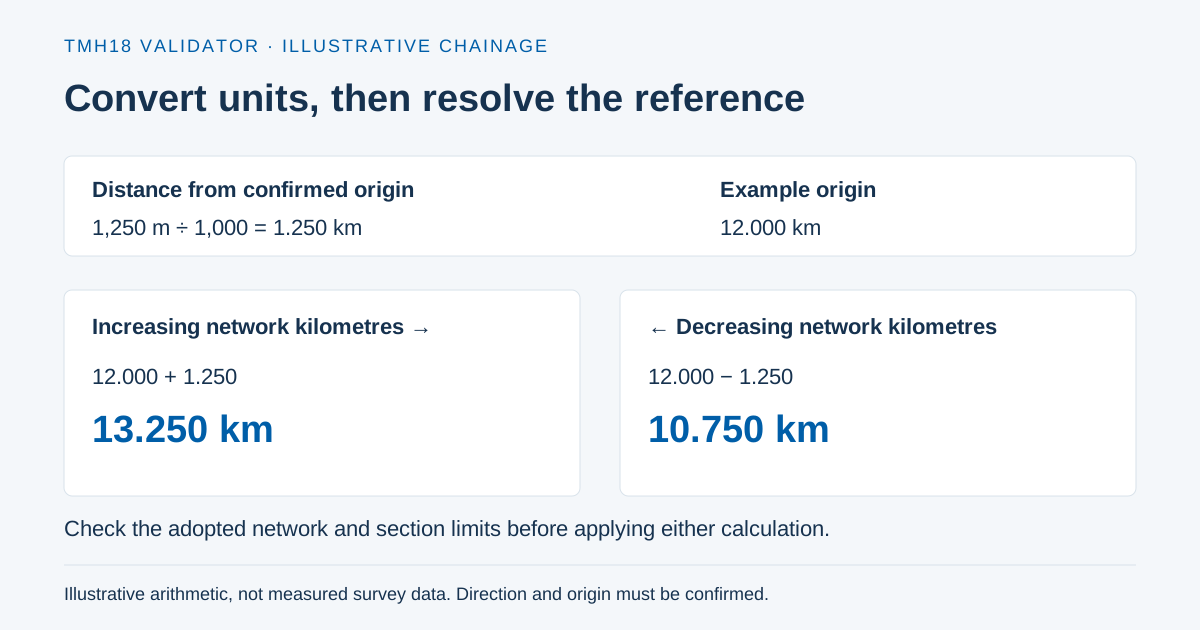
As an illustrative example, a survey position of 12,500 metres corresponds to 12.5 kilometres when both are measured from the same origin. That calculation says nothing about whether the origin is correct. A distance from the vehicle's trip start may differ from a distance along the authority's road register even when both use kilometres.
Read the unit from the source definition
Inspect the instrument export settings, the file-family specification and the selected check template. Record which field contains the original distance and which field the importer reads. Do not infer units from the number of decimal places. A rounded value of 12 can represent metres, kilometres or another quantity entirely.
Keep units attached to the working column names in your preparation notes. Make a separate conversion column or transformation step so the original values remain recoverable. Document any changes to precision. Rounding can collapse separate observations to the same kilometre position and create a second problem after the unit mismatch is fixed.
Test a small, representative sample
Check points near the start, middle and end of the survey. If a consistent 1,000-fold relationship holds and the source definition confirms metres, convert metres to kilometres by dividing by 1,000. Recheck the endpoints and spacing. Apply the same reviewed transformation to the intended field only.
If the difference is approximately constant rather than proportional, investigate the distance origin. If the differences change sign or grow irregularly, investigate direction, network version, positioning or a wrong field mapping. Do not add a small artificial offset to make records monotonic. That changes the location values while hiding the cause.
Recheck the network join after conversion
TMH-18 sections 2.2.1–2.2.2 connect linear measurements with the network definition, and section 5 discusses records within network kilometre limits. Passing a range check alone is insufficient: several wrong positions can still fall within a long road section.
Compare the transformed records against known landmarks and expected coverage. Review gaps, overlaps and repeated distances in their proper grouping. A new section, lane or survey date can change what a repeated distance means. Keep every unresolved discrepancy visible for the reviewing engineer.
Record the transformation and validate again
Retain the original file, the converted file, the unit evidence, the calculation, the affected field and the person who reviewed it. Rerun the relevant checks on the actual saved export. Earlier findings describe earlier bytes; they do not establish the result for the converted file.
Use the current Check templates and upload guidance to choose the appropriate validation profile. A clean automated result records the checks that ran. It does not establish that the instrument was calibrated or that the field location was correct.
Sources and scope
- COTO TMH-18: network measurement and historyCommittee Draft 5.0, February 2016. §§2.2–2.2.2; §5 introductory rules; §5.1, Table 12.
The cited sources describe their own requirements. Practical checklists and examples do not replace the receiving authority’s adopted profile. Platform review and certification are described in the product documentation.